Balancing Compute and Storage Costs in AWS Cloud Migration 2026
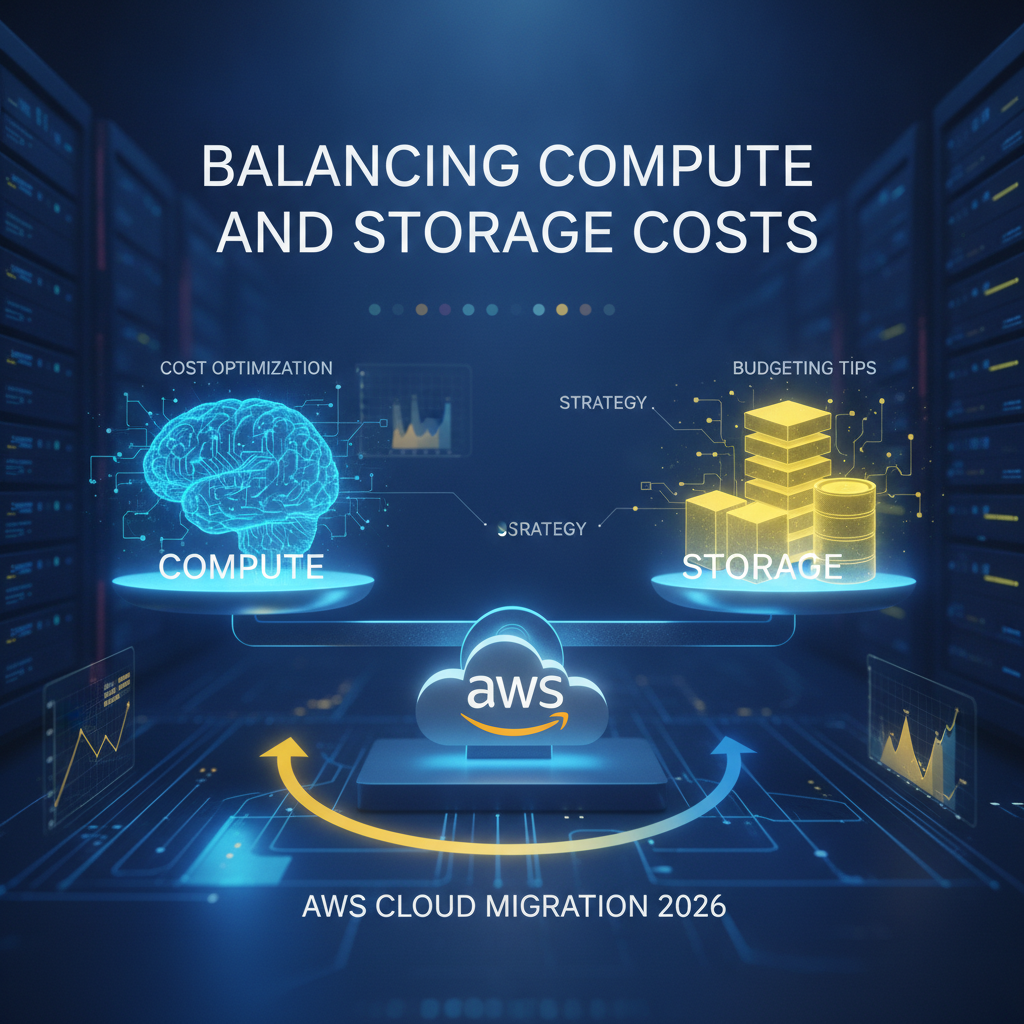
As we navigate further into 2026, the allure of the AWS cloud for businesses continues to grow. Its agility, scalability, and innovation potential are undeniable. However, for many organizations embarking on a cloud migration journey, managing costs remains a top concern. Specifically, finding the sweet spot between compute and storage expenses is crucial for a successful, sustainable, and budget-friendly AWS Cloud Migration 2026.
Ignoring this balance can lead to unexpected bills, inefficient resource utilization, and ultimately, a diminished return on your cloud investment. This guide from Sita Infobytes will help you understand and optimize your AWS compute vs. storage strategy, ensuring your migration is as cost-effective as it is transformative.
Why Balancing Compute and Storage is Critical for Your AWS Budget
Think of your cloud infrastructure as an engine. Compute is the power that makes it run (CPUs, memory), while storage is where all the fuel and lubricants are kept (data). If you have too much power and not enough fuel, or vice-versa, your engine won’t run efficiently. In the AWS cloud, this inefficiency translates directly into higher costs.
For businesses migrating in 2026, understanding this dynamic is more important than ever. AWS offers an incredible array of services, each with its own pricing model. Without a thoughtful approach to resource allocation and a clear AWS migration budgeting tips strategy, you could easily overspend.
Decoding AWS Compute Costs in 2026
Compute resources are the workhorses of your cloud environment. In AWS, this primarily involves:
- Amazon EC2 (Elastic Compute Cloud) Instances: These virtual servers are foundational. Their cost depends on instance type (optimized for CPU, memory, storage, or network), size, region, and most importantly, your purchasing model (On-Demand, Reserved Instances, Savings Plans, Spot Instances).
- Serverless Services (AWS Lambda): For event-driven applications, Lambda can be incredibly cost-efficient, as you only pay when your code runs, based on requests and compute duration.
- Containers (ECS, EKS, Fargate): Container services offer great flexibility. AWS Fargate, for example, removes the need to manage EC2 instances, abstracting server management and charging based on vCPU and memory used by your containers.
Key Compute Cost Optimization Tips:
- Rightsizing: Continuously monitor your workloads to ensure your EC2 instances are not over-provisioned. Matching resource size to actual demand is perhaps the most impactful compute cost saver.
- Leverage Savings Plans & Reserved Instances: For predictable workloads, committing to 1- or 3-year terms can significantly reduce costs compared to On-Demand pricing.
- Spot Instances: For fault-tolerant, flexible workloads, Spot Instances can offer massive savings by bidding on unused AWS capacity.
- Embrace Serverless: Modernize applications where appropriate using AWS Lambda to pay only for actual execution time.
Navigating AWS Storage Costs in 2026
Storage is often perceived as cheaper than compute, but its costs can quickly escalate, especially with large datasets, frequent access, and data transfer fees. AWS offers a comprehensive suite of storage services:
- Amazon S3 (Simple Storage Service): Object storage for virtually any kind of data. S3 has various storage classes (Standard, Infrequent Access, One Zone-IA, Glacier, Glacier Deep Archive) each optimized for different access patterns and cost points.
- Amazon EBS (Elastic Block Store): Block storage volumes primarily used with EC2 instances. Costs vary by volume type (SSD, HDD) and provisioned IOPS.
- Amazon RDS (Relational Database Service): Database storage for managed databases.
- Data Transfer Out: This is a hidden cost often overlooked. Moving data out of AWS to the internet or other regions incurs charges.
Key Storage Cost Optimization Tips:
- Intelligent Tiering with S3: Implement S3 Intelligent-Tiering or lifecycle policies to automatically move data to lower-cost storage classes (like Infrequent Access or Glacier) as its access frequency decreases.
- Delete Unused Data & Snapshots: Regularly audit your S3 buckets, EBS volumes, and snapshots. Delete anything that’s no longer needed.
- Optimize Data Access Patterns: Choose the right S3 storage class for your access frequency. Don’t use S3 Standard for archival data.
- Monitor Data Transfer Out: Strategize data egress. Use AWS CloudFront (CDN) to reduce data transfer costs for content delivery.
Strategic Balancing: Your AWS Cloud Migration Cost Optimization Blueprint for 2026
The real magic happens when you consider compute and storage together. Here’s how to create an effective AWS cloud migration cost optimization strategy:
- Thorough Assessment & Discovery: Before migration, meticulously analyze your existing on-premises environment. Understand your true compute needs, data access patterns, and growth projections. This forms the bedrock of your AWS migration budgeting tips.
- Workload Profiling: Categorize your applications and data. Are they mission-critical, archival, dev/test, or transient? Each category will have different compute and storage requirements and cost implications.
- Architect for Cost Efficiency from Day One: Design your AWS architecture with cost optimization in mind. Think about serverless first, containers, and multi-tier storage strategies.
- Automate & Monitor: Use AWS Cost Explorer, CloudWatch, and other monitoring tools to track spending patterns and identify anomalies. Automate resource shutdown for non-production environments during off-hours.
- Governance & Accountability: Implement cost allocation tags, set budgets with AWS Budgets, and foster a culture of cost awareness across your teams.
Partner with Sita Infobytes for a Balanced AWS Migration
Navigating the complexities of AWS compute and storage costs requires deep expertise and a forward-thinking approach. At Sita Infobytes, we specialize in helping businesses like yours achieve a seamless, efficient, and cost-optimized AWS Cloud Migration 2026.
From initial assessment and strategic planning to ongoing optimization and management, our team ensures you leverage the full power of AWS without overspending. Let us help you balance your budget and maximize your cloud ROI.
Ready to optimize your AWS cloud migration costs? Contact us today to discuss your unique needs and explore how Sita Infobytes can empower your journey.